

Project sharing
Control who can see, edit, and approve a project with per-project access levels.
Each project has its own access control list. The person who creates a project automatically gets assigned as an owner of the project. Project owners have the ability to grant access to a project with others within their organization. Organization Owners and Admins have owner-level access to every project without being added.
Access can be granted to individual users, to groups, to everyone in the organization, or to all groups in the organization.
Access levels
| Level | Can |
|---|---|
| Viewer | Open the project and read its sources, reviews, and findings |
| Contributor | Everything a Viewer can, plus add and edit sources, create and re-run reviews, and edit findings and comments |
| Owner | Everything a Contributor can, plus rename the project, edit its description, severity, and tags, share and revoke access, change project and review stages, and delete the project |
Only project owners can change the stage of a review within the project. Contributors and Viewers cannot change stages.
Share a project
Open the share dialog
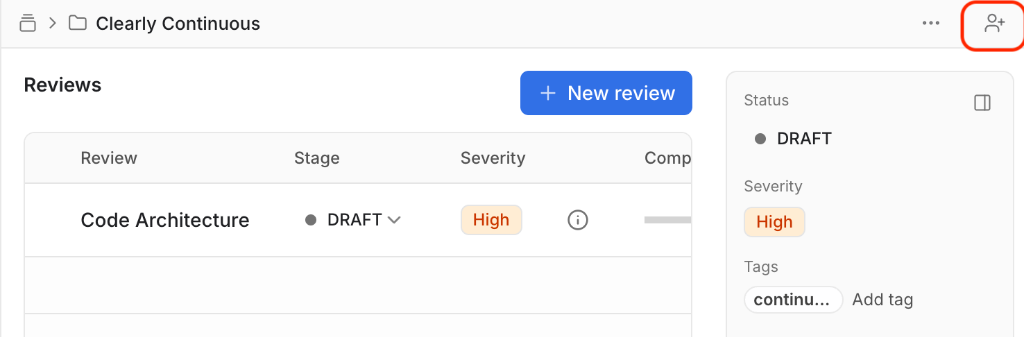
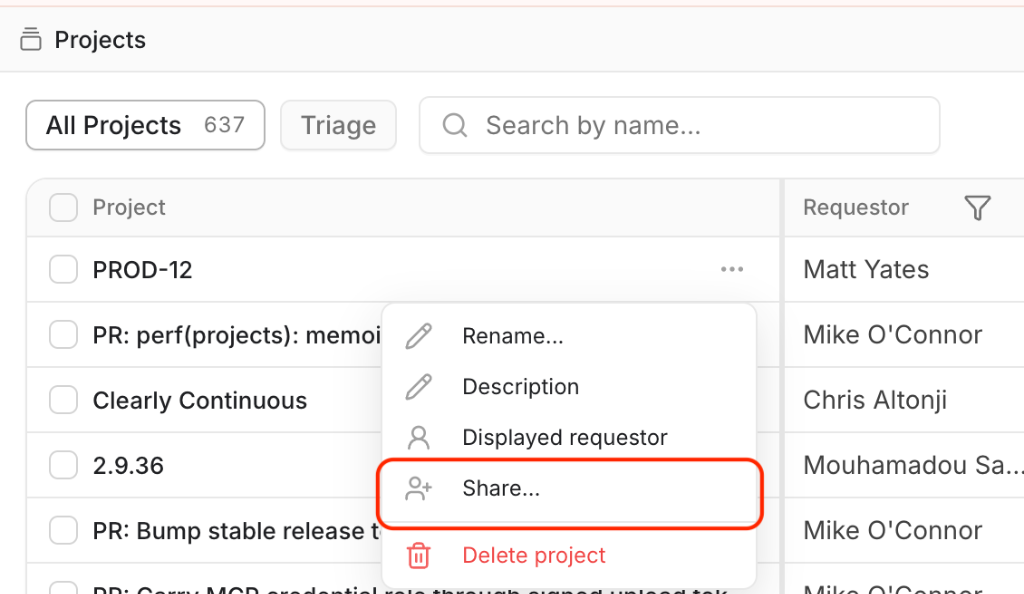
From the project page, select the share icon in the header. From the Projects table, open a row's menu and select Share….
Add people or groups
Search for a user or group and select it. Access is granted as soon as you select an entry. To grant access to everyone, choose Everyone in the organization or All groups in the organization.
Set the access level
Each entry has its own access level. Change it from the dropdown next to the name.
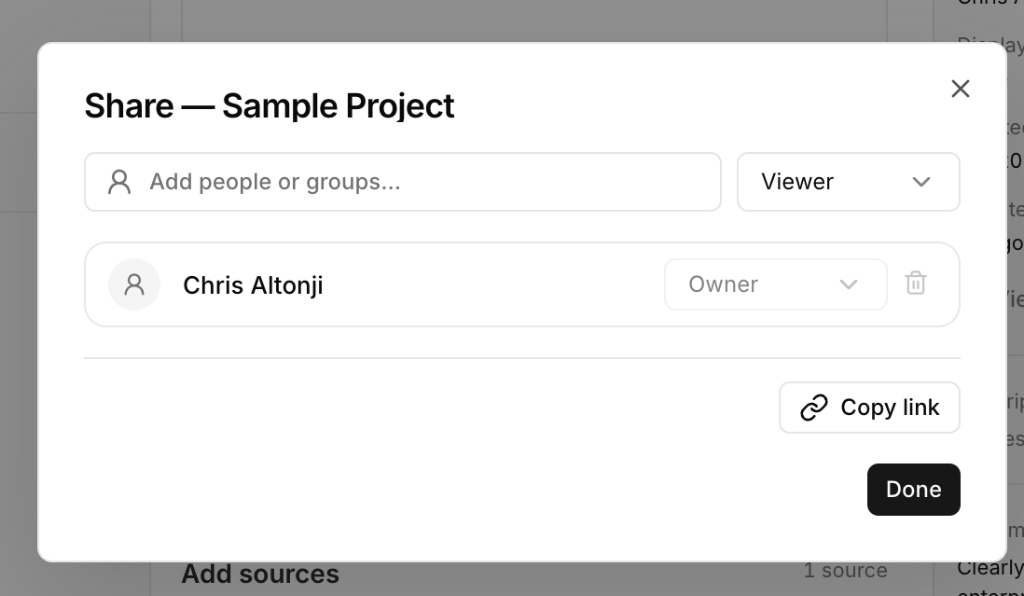
Use Copy link in the dialog to copy the project URL for the people you shared it with.
Share several projects at once
In the Projects table, select multiple rows and choose Share from the bulk action bar. The same grantees and access level are applied to every selected project.
Change or revoke access
Open the share dialog, then change the level from the dropdown or remove the entry. A project must keep at least one user with Owner access; grant ownership to someone else before removing the last owner.